Bookings
by Aerolab
Team scheduling and resource planning in one shared timeline. See who’s working on what, spot availability, and plan your next project.
Request early access to get started.
About Bookings
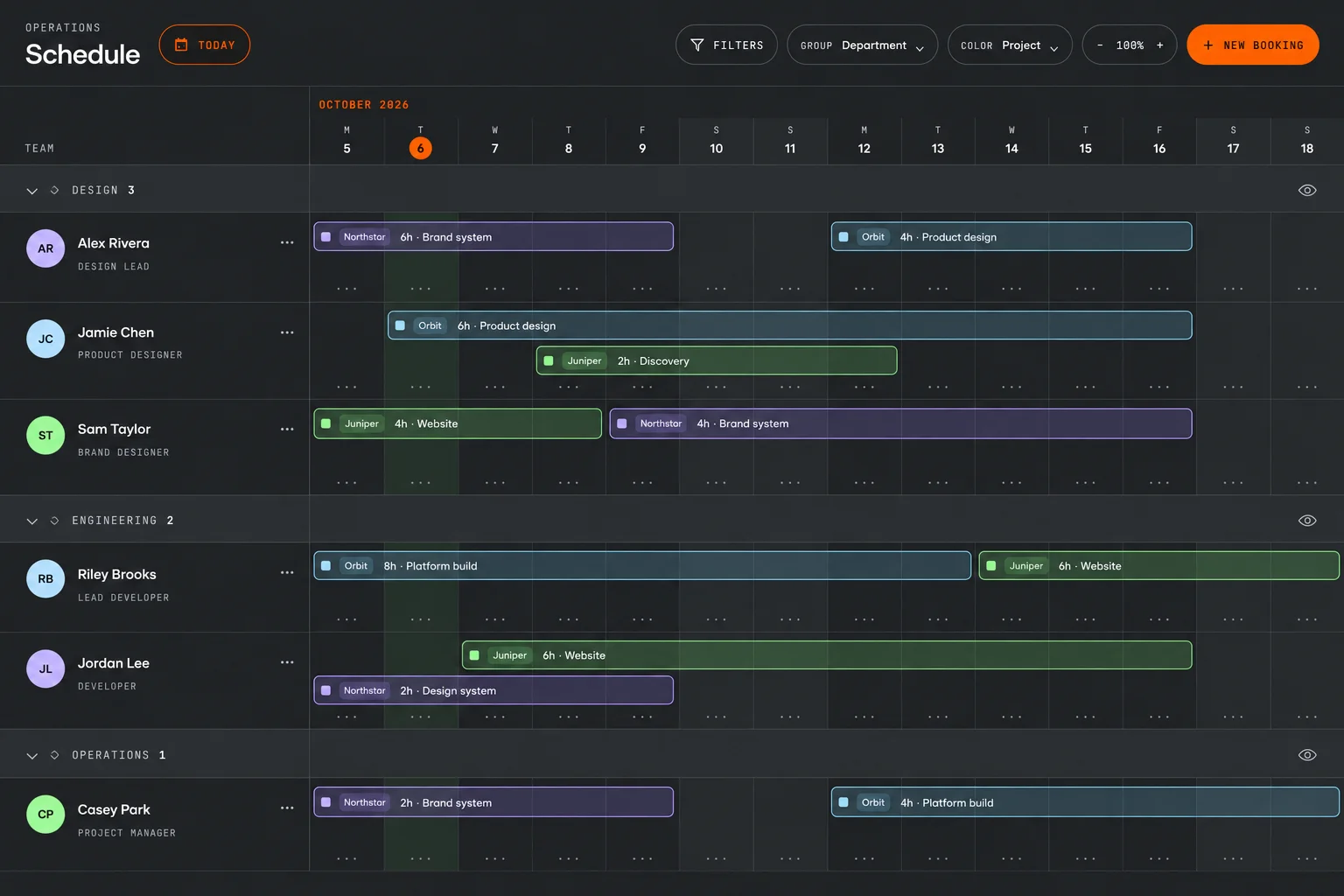
Bookings brings people, projects, and availability into one visual schedule. Assign time to client work, see how your team’s workload fits together, and adjust the plan as priorities change. Built for project managers, operations leads, and teams coordinating work across multiple projects.
- Shared team timeline
- Project bookings and daily hours
- Availability and time off
What you can do
Plan people and projects
Create project bookings with dates and daily hours. Adjust booking ranges as work shifts, with each person’s commitments in view.
See team availability
View project allocations alongside vacations, holidays, and other time off to spot overlaps and find room for upcoming work.
Find the view you need
Group the schedule by department, filter your team, color bookings by project, and zoom the timeline to focus on the right dates.
Keep work connected
Manage people, client accounts, and projects alongside the schedule, so every booking has the context your team needs.
Inside Bookings